 Blog
 Links
 Contact
 About
Trying to sign into an old Gmail account...
Publish Date: 2026-11-13
So I have an old Gmail account I setup way way back in the day that I never log into, until today... I can't recall the last time I've signed into it, but the last record of change in my KeePassXC database shows to be around 8/21/2020, which makes sense because this was probably right around when I enabled the TOTP MFA option since MFA was being enforced onto Google accounts. I didn't ever want to setup a phone number for MFA since that's just stupid, so TOTP it was and after that I never signed back in again. In case anyone was wondering, I only kept the account because it's connected to an old YouTube channel where I had some privated videos that I wanted to keep but didn't care that much about.
These days, I don't even care about the old videos and was fine to let it all rot, but something came up wherein I was needing to use the account for testing at work. At work, there seems to be an issue where some people are able to connect external email accounts to their Outlook mail client and others who can't. This isn't supposed to be possible, but allegedly some people are somehow able to bypass whatever policy that's supposed to be prohibiting that functionality and I've been assigned to investigate...
I can't (and won't) use my personal email account, and besides my mail servers are POP3 only. Does Outlook even support the POP protocol these days? My one any only remaining ProtonMail account that hasn't yet been deleted by the lunatics running that service, also wouldn't work since it requires a security bridge to make the connection. Ain't no way I'm gonna be installing that on my work laptop!
So this leaves me scrounging for something to test with, which happens to be my old gmail account.
I figured it would be a good idea to first sign into it from my desktop just to make sure it works and that everything is on the up and up before even attempting to connect it to my work laptop Outlook client. Username / address worked, password worked, TOTP MFA worked and then I get this...
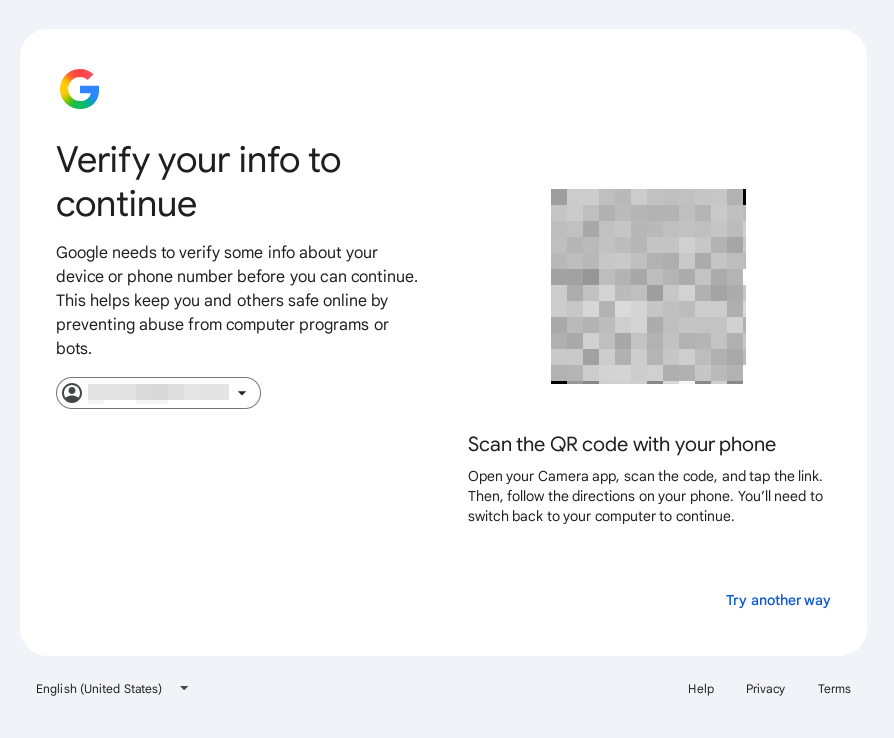
"Verify your info to continue." What is this nonsense? What info!? I just gave you my credentials and seemingly that isn't good enough!?
So I click "Try another way," and guess what happens... It just refreshed the page and does nothing else. Just splendid. I have no way to sign into this account.
Curious as to what this QR code links to, I used Qrca to read the QR code (which by the way, is quickly becoming an invaluable application these days for unrelated reasons.)
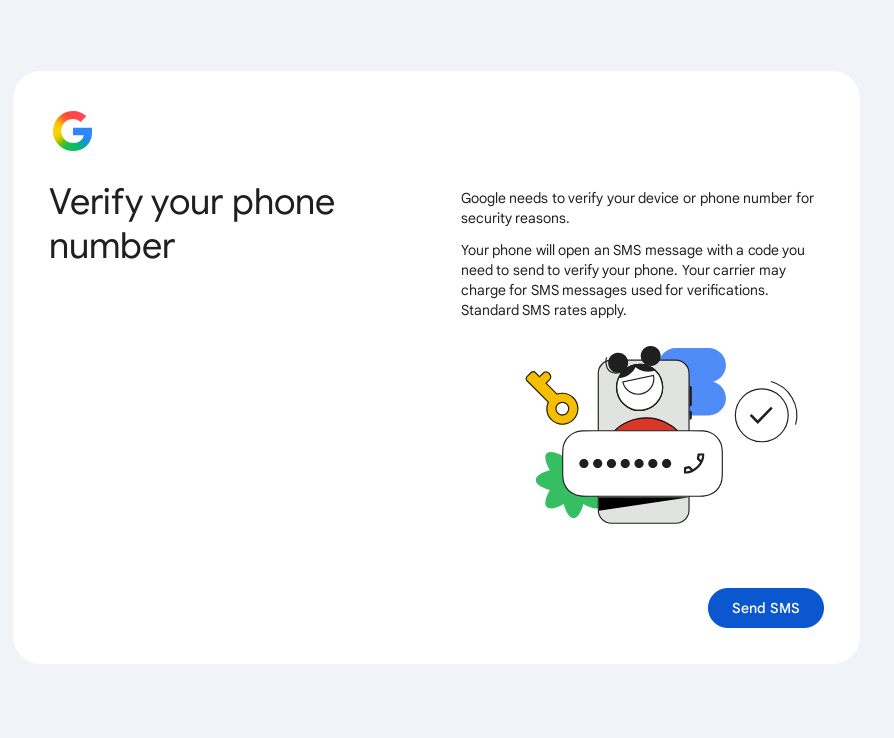
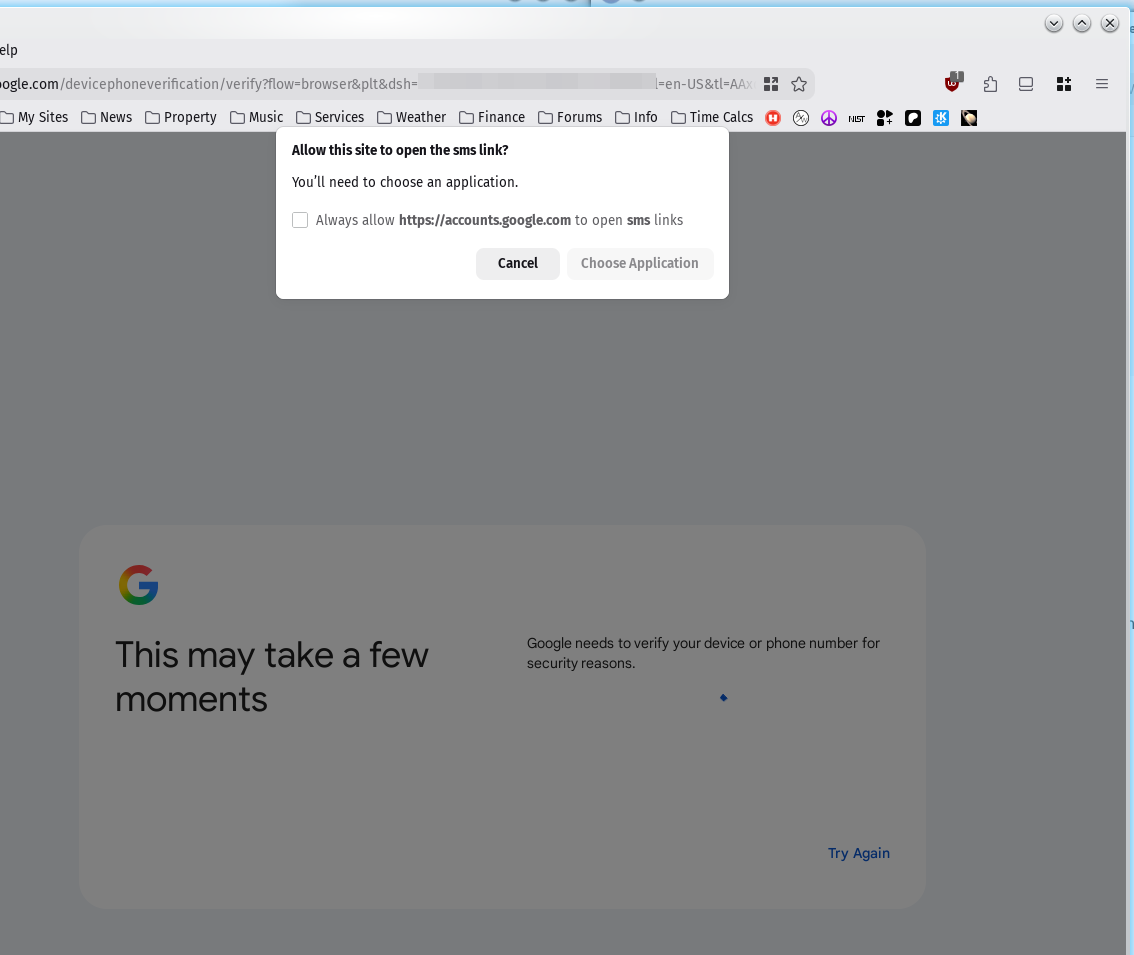
The QR code directs to a random generated value link for "verifying" my phone number via SMS. I've never setup a phone with Gmail before, so I don't understand how this is supposed to work. I click the "Send SMS" button and the site attempts to open an application which doesn't exist on my computer, so this leads me to assume that it's using the handler to connect with Google Play services or some Google botnet app installed on the phone to facilitate the "verification" process that'll send a text message.
This is mind numbing stupidity. Why do I have to do this? How about I just don't and leave it to rot because it's not worth my time or energy to address. I left the Google plantation back in 2014 to never return, so I'm quite thankful my email is not caught up in that three ring circus from hell. I'd rather deal with the anguish of self hosting a mail server before ever assimilating into to that nightmare existence.
It's no wonder why people say they can't function without their phones; they've been captured and are held hostage to these tech cartel platforms. The phone zombie addiction has a part to play too, but the convenience it's sold on is an outright lie they fell for. The only convenience it provides is a more effective means in getting whipped into compliance. No thanks, I'm not scanning the QR code, not installing the app, and certainly not giving you my attention. Good riddance Google!
Thanks for reading my blog!
 20261113_blog.txt GPG signed
[Back to top]
Comments: