 Blog
Blog Links
Links Contact
 About
AboutMaking GIMP 2.10.34 available as-is for Debian 13 (Trixie)
Publish Date: 2026-10-22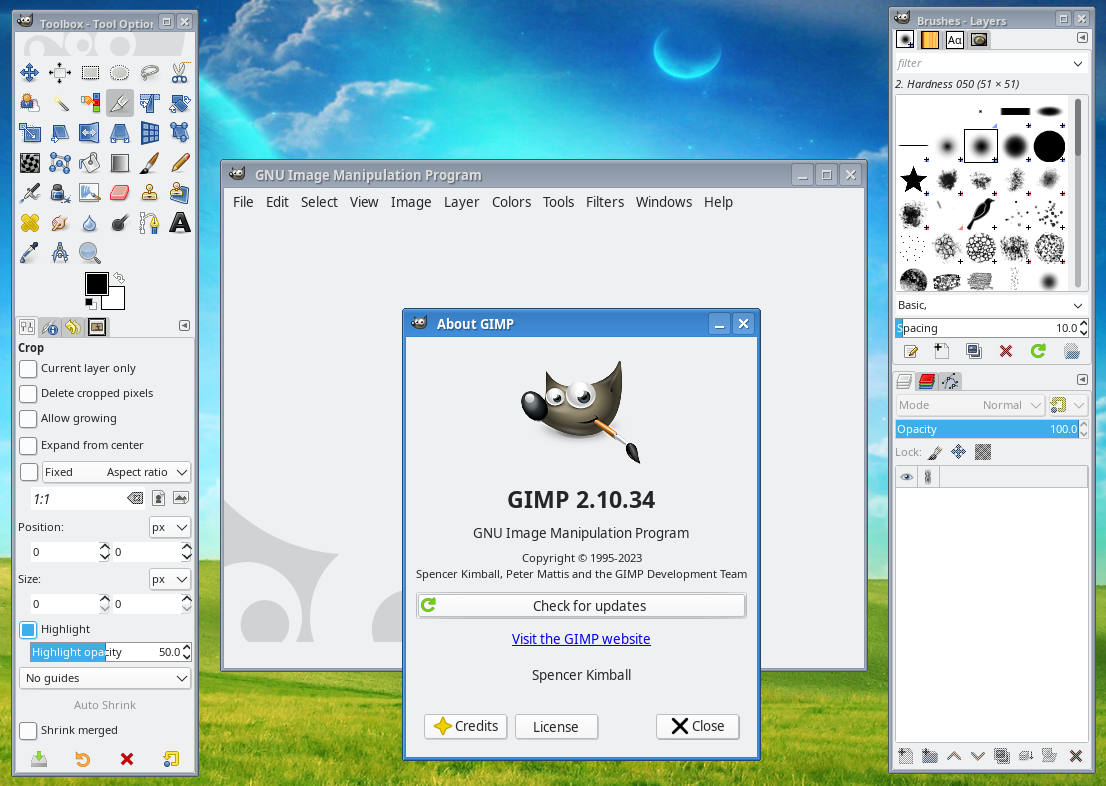
The good GIMP.
Continuing in the theme of my previous post on making Qt5 style plugins available to Debian 13 via the CozyNet Debian package repository, I've also included a pre-GTK3 version of GIMP sourced from the Debian 12 Bookworm repos.
As the title says, this is "as-is," meaning there are bugs. For example, closing out of a project in GIMP might produce a crash report. I don't know why, but so long it works I don't really care.

Just discard it and move on.
I've also taken the liberty to correct the gimprc config file to default to the system theme, disable tool groups, and enable the legacy icons. I had to trick the Symbolic icon theme by replacing it with a symbolic link to the Legacy icon theme because it appears that GIMP is hard coded to default to the Symbolic icon theme regardless of whatever is specified in the gimprc file. If you really want the Symbolic icon theme back, then you can run the following in a console window.
                  sudo unlink /usr/share/gimp/2.0/icons/Symbolic


                  sudo mv /usr/share/gimp/2.0/icons/Symbolic_bak /usr/share/gimp/2.0/icons/Symbolic
To install, simply run sudo apt install gimp-gtk2 in a console from a Debian 13 (or Devuan 6 Excalibur) operating system. I haven't tested this on Devuan, but I suspect it should work just the same...
If you already have a modern version of GIMP installed along side, you'll see two separate launcher icons when searching for the application in the start menu. One of them will be for GIMP 2.10 and the other for whatever newer version you already have installed.
You can also launch it from a console with /usr/bin/gimp-gtk2. There's also a "gimp-gtk2-console" which I've never used before and suspect it probably won't work if invoked directly from GIMP.
I like this version of GIMP. The newer GTK3 version of GIMP is alright, but I do have some gripes with it. For instance, you can't lock layers to one another anymore to move them simultaneously; in fact, you can't even move a locked layer in the new version of GIMP anymore from what I can see. The layer system is also clunky and funky, and I really don't like it. There are a few other things too with some tools doing things for me automatically that run counter to muscle memory. I figured if I can "port" (if you want to call it that) the good old version of GIMP last seen on Debian 12 to Debian 13, then I might as well put it up on the CozyNet Debian repository too!
Now like I said, this is "as-is," bugs and all. I'm not going to fix them unless there's an easy fix, and if it somehow magically trashes your system, welp sorry about that! I did at least attempt to prevent it from conflicting with other modern GIMP packages if they're present, but I think perhaps a better approach to this would be to recompile the thing with dependencies and all for a special directory in /opt/, similar to the Trinity project. Maybe I'll do that one day, maybe not, but in the meantime this works and I'm happy with it!
Available packages as of now:
- gimp-gtk2
- gimp-gtk2-data
- gimp2-data-extras
- libgimp2.0
- libjxl0.7
Let me know if there's anything super messed up...
Thanks for reading my blog!
[Back to top]
Comments: